CLS
Data Analysis with Excel and Power BI

Data Analysis with Excel and Power BI

Bestseller
Total Duration 48 Hours
Level Beginner / Intermediate
Delivery Mode
Virtual Learning Public Classroom
Available Schedules
Book your Seat Now

Skills you'll learn

10 skills
Excel data analysis
Data cleaning
sorting and filtering
Data validation
Power BI
Data import and transformation
Power Query
Creating data models
DAX functions
Publishing and sharing reports

Prerequisites

Basic computer literacy
Familiarity with Microsoft Excel

Course Outline

This isn't just a course. It's a structured path designed to turn you into a specialist ready for the global job market.

  • Classic Data Analysis with Excel
  • Excel Pivot Tables
  • Limitations of Classic Data Analysis
  • Describe classic data analysis with Excel
  • Describe Excel pivot tables
  • Describe the limitations of classic data analysis with Excel
  • Using an Excel Data Model
  • DAX
  • Describe an Excel data model
  • View data within an Excel data table
  • Describe DAX
  • Importing Data into Excel
  • Shaping and Transforming Data
  • Loading Data
  • Import data into excel.
  • Shape and transform data.
  • Load data.
  • Available Data Sources
  • Previewing, Shaping, and Transforming Data
  • Table Relationships and Hierarchies
  • Loading Data
  • Identify available data sources.
  • Preview, shape, and transform data.
  • Explain table relationships and hierarchies.
  • Load data from various sources.
  • Importing Data from Excel Reports
  • Transforming Excel report Data
  • Import data from Excel reports.
  • Transform Excel report data.
  • DAX
  • Measures
  • Advanced DAX Functions
  • Explain what DAX is and when to use it.
  • Describe a measure.
  • Use some of the advanced functions within DAX.
  • Pivot Charts
  • Cube Functions
  • Charts for Cube Functions
  • Create and refine a pivot chart.
  • Describe cube functions and when to use them.
  • Describe a number of charts for use with cube functions.
  • Power BI
  • Uploading Excel Data to Power BI
  • Power BI Mobile App
  • Describe Power Bi and the various versions available.
  • Upload Excel data to Power BI.
  • Describe the Power BI App.

Target Audience

Designed to meet the needs of learners at different career stages, empowering them to build user-centered digital experiences

Freelancers: want to monitor business metrics and build dashboards and Understanding data
Data professionals and business intelligence professionals who want to learn how to accurately perform data analysis using Power BI.
Students & fresh Graduates: looking to enhance their CVs with industry-relevant and sought-after data skills
Business Professionals & Managers: Those who require analysing performance and making data-based decisions quickly and efficiently.
Learning outcomes

What you'll learn

Explore and extend a classic Excel dashboard and Excel data model
Create measures using advanced DAX functions
Create a Power BI dashboard with Excel
Using Pivot Tables and charts for dynamic data analysis.
Using Power Query that allows to load, clean and transform data
Data Importing and Transformation – Load, clean, filter and prepare data for further analysis through Power Query
Acquiring DAX Skills – Using DAX to create custom measures, aggregations and calculated columns
Data Reports Collaboration and Sharing – Publication of reports on Power BI Service and collaboration with team members and executives
About this course

About this course

Data Analysis with Excel and Power BI course is designed to equip you with the practical skills used by professionals to organize, analyse, and visualize data with confidence

Unlock the power of data with two of the most in-demand tools in the business world—Excel and Power BI.

Whether you’re new to data or looking to sharpen your analytics skills, this hands-on course will guide you step-by-step through the entire data workflow—from data collection and cleaning to advanced visualizations and dashboards.
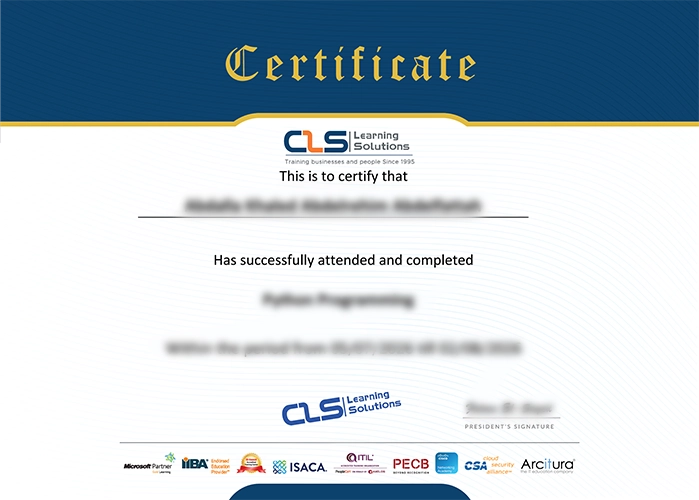

Accredited Credentials

  • Attendance Certificate from CLS Learning Solutions 


Data Analysis with Excel and Power BI

Potential Career Paths

Data Analyst
Business Analyst
BI Developer
Financial Data Analyst
Operations Analyst
Freelance Data Analyst