CLS
MCSA Windows Server Administration

MCSA Windows Server Administration

Bestseller
Total Duration 120 Hours
Level Beginner / Intermediate
Delivery Mode
Public Classroom
Available Schedules
Book your Seat Now

Skills you'll learn

12 skills
Windows Server Administration
Active Directory Management
Server Infrastructure Management
Network Services Configuration
DNS Server Management
DHCP Server Configuration
Storage Management Solutions
Hyper-V Administration Skills
Server Backup Management
Disaster Recovery Planning

Prerequisites

Basic Understanding of Computer Hardware and Operating Systems
Familiarity with common IT terms and concepts

Course Outline

This isn't just a course. It's a structured path designed to turn you into a specialist ready for the global job market.

Target Audience

Designed to meet the needs of learners at different career stages, empowering them to build user-centered digital experiences

IT Professionals responsible for the installation, configuration and administration of Windows Server systems from small to large environments.
Help Desk Technicians and Support Engineers looking to further their careers as Network/Server Administrators
Career Changers and Fresh Graduates having a basic knowledge of Information Technology principles, looking to start a career in server administration
Learning outcomes

What you'll learn

Prepare and install Nano Server, a Server Core installation, and plan a server upgrade and migration strategy
Describe enterprise storage solutions and select the appropriate solution for a given situation
Implement and manage Storage Spaces and Data Deduplication
Install and configure Microsoft Hyper-V and configure virtual machines
Deploy, configure, and manage Windows and Hyper-V containers
Implement Dynamic Host Configuration Protocol (DHCP). Implement IPv6
Implement Domain Name System (DNS)
Implement and manage IP address management (IPAM)
Implement virtual private networks (VPNs)
Manage objects in AD DS by using graphical tools and Windows PowerShell
Implement and administer Active Directory Rights Management Services (AD RMS)
Implement AD DS sites and configure and manage replication
Implement and manage a certificate authority (CA) hierarchy with AD CS
Monitor, troubleshoot, and establish business continuity for AD DS services
About this course

About this course

The MCSA Windows Server Administrator help IT specialists gain the necessary skills and knowledge in order to effectively manage their Windows Server infrastructures. The program is based on the following three Microsoft courses:

Installation, Storage, and Compute with Windows Server: designed primarily for IT professionals who have some experience with Windows Server. It is designed for professionals who will be responsible for managing storage and compute by using Windows Server

Networking with Windows Server provides the fundamental networking skills required to deploy and support Windows Server in most organizations.

covers IP fundamentals, remote access technologies, and more advanced content including Software Defined Networking.

Identity with Windows Server: Learn how to deploy and configure Active Directory Domain Services (AD DS) in a distributed environment, how to implement Group Policy, how to perform backup and restore, and how to monitor and troubleshoot Active Directory–related issues with Windows Server Additionally, this course teaches students how to deploy other Active Directory server roles
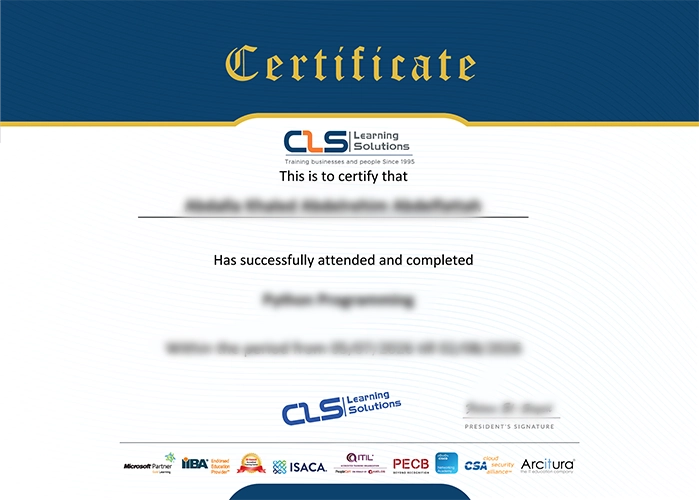

Accredited Credentials

  • Attendance Certificate from CLS Learning Solutions 


MCSA Windows Server Administration

Potential Career Paths

Windows Server Administrator
System Administrator
Network Administrator
IT Support Engineer
Technical Support Engineer
Systems Support Specialist
IT Operations Engineer